
No products in the cart.
Lithium Battery Not Communicating With the Inverter: A Checklist Leave a comment
A lithium battery not communicating with the inverter is one of the most common problems after installation. The battery works and the inverter works. However, the two do not talk, so the charge level reads wrong or an alarm appears. Because the cause is usually simple, work through this checklist before you call anyone.
Why a lithium battery not communicating matters
A lithium battery has a management system that knows its real charge, temperature and safe limits. When it talks to the inverter, the inverter charges and discharges exactly as the battery asks. Without that link, the inverter can only guess from voltage.
Step 1: read the alarm
With a lithium battery not communicating, the alarm tells you where to look. First, note the exact alarm on the inverter screen. For example, an alarm about battery communication points to the cable or protocol, whereas a battery fault alarm means the link works and the battery itself reports a problem.
Step 2: check the battery profile
Most hybrid inverters ask you to choose a battery brand or protocol from a list. If the wrong one is selected, the inverter listens for the wrong language. A wrong profile is the most common reason for a lithium battery not communicating. Therefore, select the profile the battery maker names for your inverter brand.
Step 3: check the cable and the port
- Port: batteries and inverters have both CAN and RS485 ports, so make sure the cable sits in the right one at each end.
- Cable: a normal network cable often does not work, because the pin order differs between brands.
- Damage: also check for bent pins and loose plugs.
Step 4: check the switches on the battery
Many batteries use small DIP switches to set the inverter brand and the battery’s address. In a bank of several batteries, one acts as the master, so the cable to the inverter must come from that one. Otherwise, you get a lithium battery not communicating even though every cable is right.
Step 5: restart in the right order
After any change, power everything down and then start again. In general, switch on the battery first, then the grid supply, and then the panels. Your manual gives the exact order.
Step 6: update the firmware
If nothing else helps, ask your installer about firmware for both the inverter and the battery. For example, Solis lists compatible batteries and firmware notes for its hybrid inverters.
Lithium battery not communicating after all that?
Then the battery and inverter may not share a protocol. In that case, many inverters can run the battery in voltage mode with settings from the battery’s datasheet. However, treat this as a fallback, and ask the battery maker for the correct voltages.
Before you buy, check compatibility. Our Dyness lithium battery guide lists the inverter brands Dyness names.
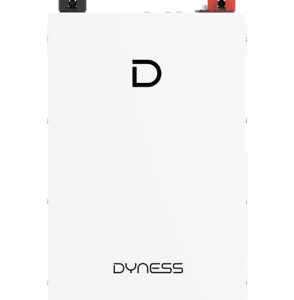 Dyness DL5.0F Lithium-Ion Battery - 51.2V 100AH IP20 5.12kWhRs 230,000View product
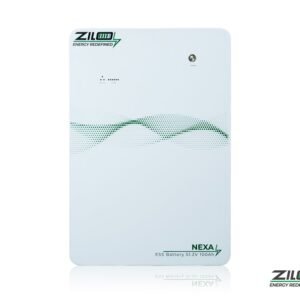 Zilo Nexa 5kWh 51.2V 100Ah Lithium BatteryRs 200,000View product
 Dyness PowerBrick Plus Lithium-Ion Battery - 51.2V 314AH IP65 16.08kWhRs 585,000View product
Common questions
Is a lithium battery not communicating dangerous?
A lithium battery not communicating still has its own protection. However, the inverter may charge it less accurately, so fix the link soon.
Why is my lithium battery not communicating after months of working?
Usually a loose plug, a damaged cable or a firmware update on one side. Therefore, start at step 3.
Can I use any brand of lithium battery with my inverter?
Only if the maker lists it as compatible, or if you run it in voltage mode. So check before you buy.